
- Video section: finished and tested, sitting on staging
- Colour change on the navigation bar: estimated at €8
- Black Friday countdown banner above the navigation
- Landing pages for the Google Ads campaign
- Nearly 100 landing pages for different systems
- Landing page for the Social Media module
- Video Hub with all YouTube videos
- Spacing, blog dates and navigation
We build the Eywora AI Crew, so of course we use it ourselves. To see what it's like for someone who isn't a developer, we asked our designer to run changes to our own website with it for a month, and to tell us honestly how it went. Here's her report, lightly edited.
How it works for me
I'm a designer, not a developer. I talk to one point of contact: Pax, the crew's AI project manager. I describe what I want in plain language, and Pax passes it on to the rest of the crew: the agents for architecture, development, UI/UX, content, SEO, testing, code review and deployment, plus a creative team for images and video.
Every request becomes a ticket, and every ticket follows the same path:
- I describe the change.
- I get an estimate in euros and approve it, or not.
- The crew builds it on a copy of the site, then it goes through automatic tests and code review.
- I check the result on staging.
- I decide when it goes live.
What went live
- New landing pages for our Google Ads campaign.
- Nearly 100 landing pages for different systems. We prepared them in advance with Claude Code, then implemented and deployed them through the AI Crew. That took a few hours, and they were live by noon.
- A landing page for our Social Media module.
- A Video Hub: a new page that pulls in all our YouTube videos automatically.
- A spacing fix on our Systems page: the "Book a Demo" button sat right against the text, and now has the same 36 px gap as on our other pages.
- New publish dates on our blog: someone had entered our eight newest posts under the same day by mistake, so we wanted to change the dates. Each post now has its own, in all four languages, with the order of the posts unchanged.
- A tidier navigation, in three tasks. Video Hub got its own link on the right, next to FAQ. The Blog link moved out of the Search menu and now sits there too. Testing caught a problem first: on narrow desktop screens the Spanish header lost the logo and cut off the demo button. The crew fixed that before it went live. And the two FAQ links came out of the Search menu: the FAQ pages stay online and can be reached through the FAQ menu on the right, and the remaining four links now sit in a clean 2×2 grid.
What didn't (yet)
- The new video section is finished, tested and sitting on staging. It's only waiting for me to click "go live".
- A colour change on the navigation bar is estimated at €8, and I haven't approved it yet.
- A Black Friday countdown banner above the navigation. I gave the crew the design as SVG and PNG, and it goes live once I approve it.
None of these is stuck. All three are waiting on me, which is how it should be.
What changed for me
Landing pages got much faster and easier. I can be creative and make the changes I want on our site without knowing how to code, and without waiting for a developer to have time.
I also work on our blog. For example, I wanted readers to be able to download some of our checklists, so I asked for a PDF version they can fill in.
The questions come first. Before building, the crew asks questions up front, including ones I wouldn't have thought of. So the result is closer to what I had in mind on the first try, and there's less back and forth.
I know the cost before anything happens. This is my favourite part. Every ticket gets an estimate first, and I approve it or I don't. In practice the real cost was usually well below the estimate:
| Task | Estimate | Actually used |
|---|---|---|
| Most small jobs | about €22 | about €6 |
| Video section | €58 | €28 |
| Navigation colour change | €8 | not approved yet |
Two small tasks needed much more than their estimates of €8 and €13. Both times the crew stopped and asked me. I raised the budget, and they finished at about €22 and about €30.
Nothing goes live without me. Every change goes through testing and code review, then to staging, and I decide when it's published.
Normally an approved change waits for the next deploy window, which for us is Tuesday and Thursday at 9:00. For some tickets I choose the urgent "deploy now" option instead: it skips the window and the change goes live straight away.
What I didn't expect: I enjoy using it
What surprised me most was how much I'd enjoy using it. The tool is gamified, and the agents feel like real characters. Each one has a face, a name and a role, and I can see who is working right now and who is waiting for me.
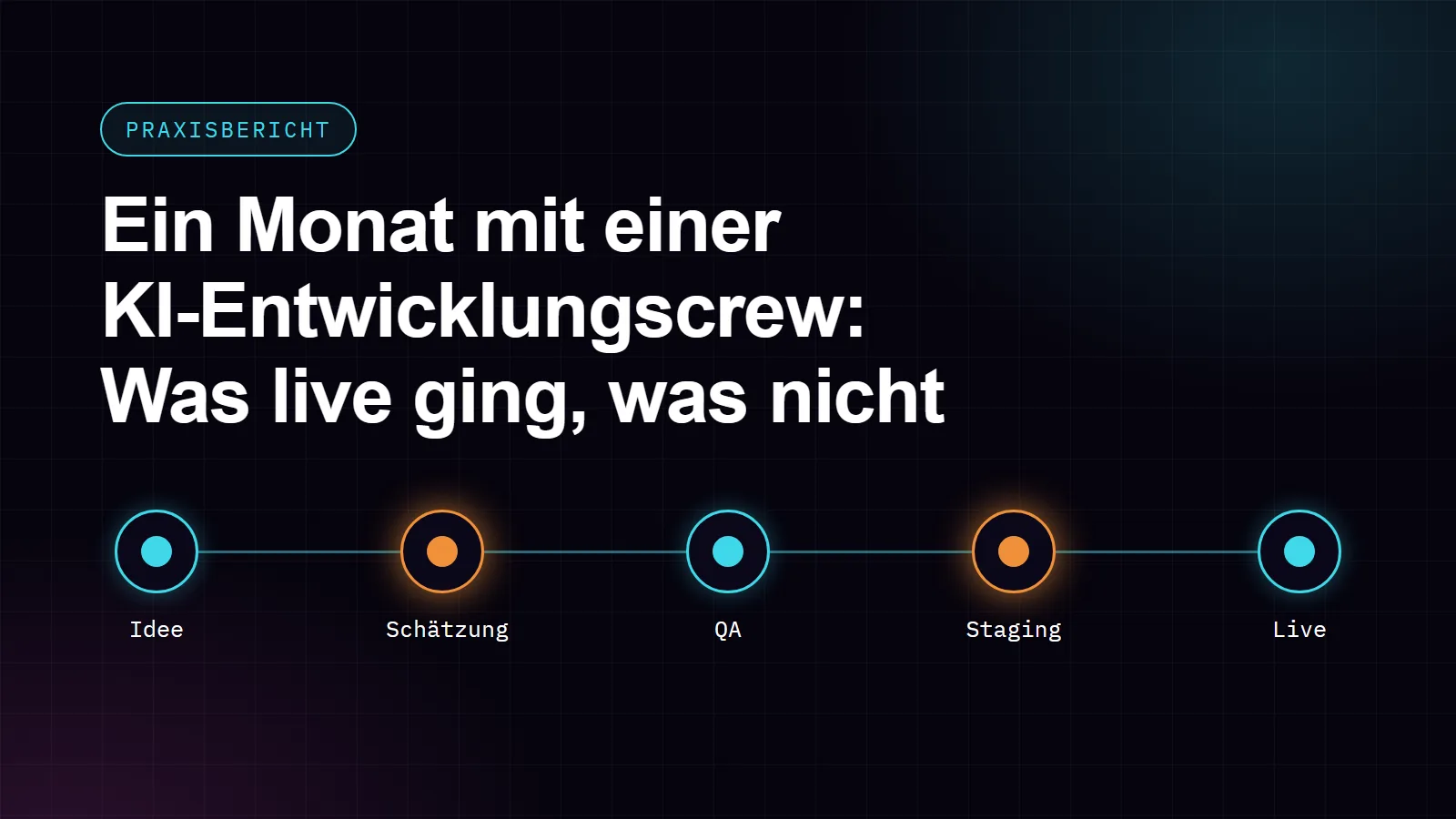
Every ticket travels along a pipeline, from idea to estimate to QA, staging and live, and the stations waiting for my decision light up in orange. So I always know where I'm needed.
My favourite detail is the "moment of the day". Dione, the crew's UI/UX designer, sits in a meditation pose on the side of the screen and sends a little message like "Have a nice weekend! The crew is holding the fort." One click starts a 30-second breathing break, and she breathes along with you.
It's a small touch, but it makes the tool feel less like a ticket system and more like a team I actually look forward to checking in with.
My verdict after one month
I'm the one deciding, and the crew does the work.
What this means for your shop or website
A month on one website is not a study, and your project will be different from ours. But the pattern is the one we'd want for any shop or website owner: you describe the change, you see the price first, you check it on a copy, and you decide when it goes live.
The amounts above are the AI usage per task. The Eywora AI Crew works on a flat monthly retainer, plus AI usage per task, which you always see as an estimate before any work starts. The Social Media module is included at no extra cost. The crew works on shops and websites whose code is in a repository and runs on a server, including Shopware, WooCommerce, Magento, JTL, TYPO3 and WordPress sites.
Want to see the crew working on a real project? Book a free 20-minute demo.