
Freelancers take permanent jobs, in-house developers move on, agencies change their focus. It happens to almost every shop at some point, and rarely with a perfect handover. The good news: your shop does not stop when your developer stops. It gets stressful because you do not know what you have, where it is and who has access.
We are signundsinn, an e-commerce agency in Munich, and we have been looking after online shops since 2009. We regularly take over shops from other developers. This is the order we would work in, whether the goodbye was friendly or not.
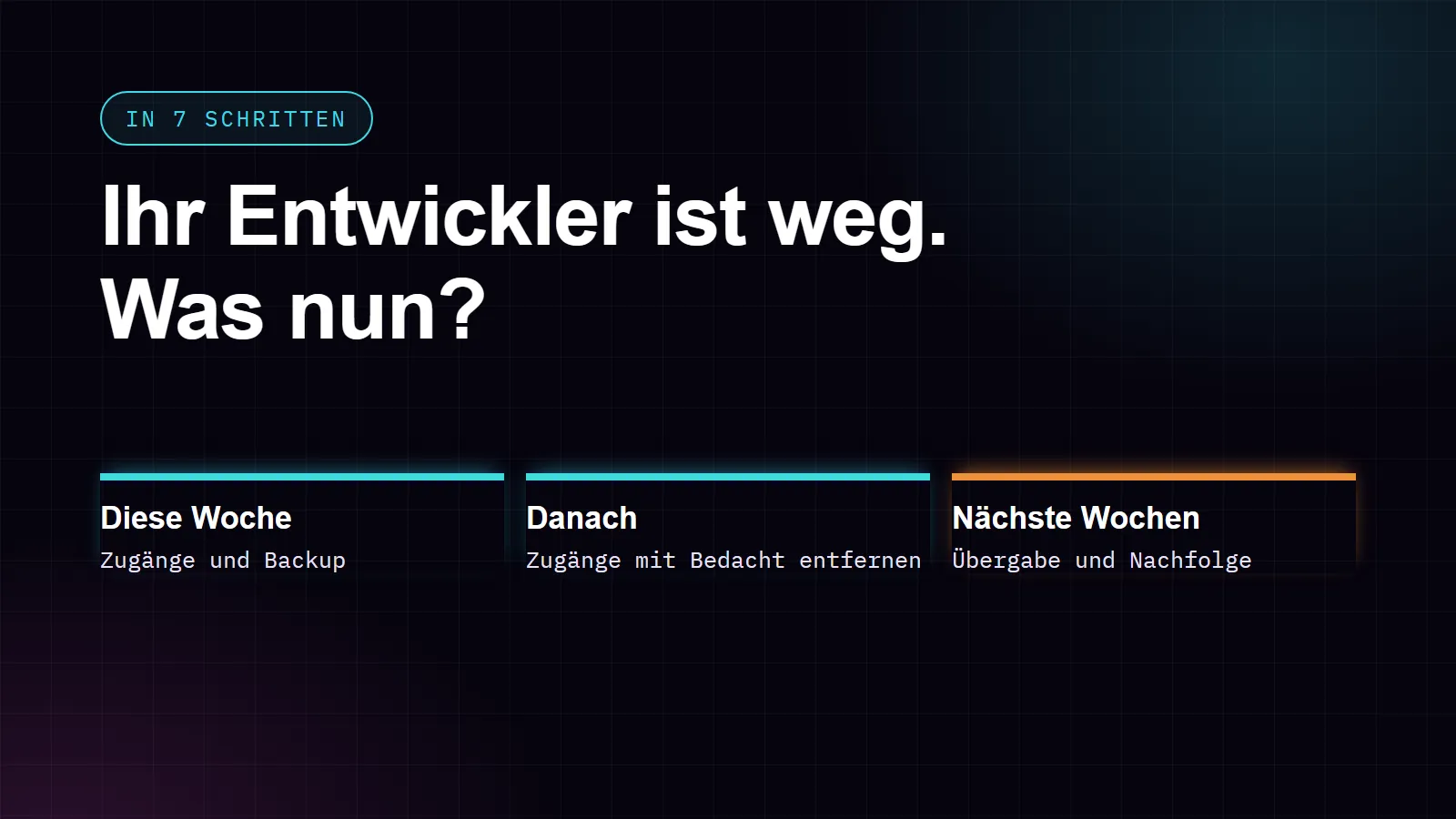
Step 1: Secure the access (this week)
Go through this list and check at every point: can you log in yourself? Is the account in your company's name and not in the developer's?
| What | Why it matters |
|---|---|
| Shop admin (with your own full admin account) | The day-to-day control over your shop |
| Hosting account and server access (SFTP/SSH) | Without it nobody can update, repair or move the shop |
| Domain registrar and DNS | Whoever controls the domain decides where the shop and the emails point |
| Code repository (e.g. GitHub, GitLab, Bitbucket) | The history of every change and the basis for all further work |
| Database access | Needed for backups, migrations and some bug fixes |
| Plugin and extension licences, store accounts (e.g. Shopware Account, WooCommerce.com, Adobe Commerce Marketplace) | Licences bought in the developer's account often do not transfer automatically |
| Payment providers, shipping, ERP and other connected services | API keys can hang on the developer's account |
| Email sending (SMTP or mail service), analytics, tag manager, Search Console | Order emails and tracking stop quietly when an account is closed |
| Backups and staging environment | You need to know where they are and how a restore works |
Everything that runs in the developer's personal name should move to your company now, while they are still reachable. Most developers are happy to help; it protects them too.
Step 2: Back everything up
Before anything changes, make a complete backup: all files and the database, stored in a place you control (not just on the same server). If your code is in a repository, keep a copy of that as well.
If your shop's code is not in a repository, the live server is the only complete copy of your custom development. Then this backup matters all the more, and getting the code into a repository becomes one of the first tasks for whoever takes over.
Step 3: Remove the access, but carefully
As soon as you have your own access, change the passwords the developer knew and remove their personal accounts: shop admin, hosting, repository, shared logins. But check first what might still depend on them:
- API keys that were created in their account (payment, shipping, ERP, marketplace feeds)
- Scheduled tasks or scripts that run under their user
- Email sending that is set up through their account
- Licences or subscriptions billed to their card
Replace those with your own first, then remove the access. Test the shop afterwards: place a test order, check that the order emails arrive and that the connection to your ERP or inventory system still works.
Step 4: Write down what you know
Even without technical knowledge you can collect most of what a new developer needs:
- Shop system and version, PHP version, hosting provider
- The list of plugins or extensions (most shop admins can show or export it) and which of them are paid
- What was built individually: special features, theme adjustments, imports and exports, connections to other systems
- How changes went live: was there a copy of the shop (staging), and who deployed?
- Scheduled tasks you know about (feeds, imports, newsletters)
- Known problems and open tasks: what was the developer working on last?
Step 5: Hold a handover meeting (if possible)
If the goodbye is friendly, ask for one or two hours of the developer's time, paid if need be, and record the conversation. Useful questions:
- What was built individually, and where is that code?
- What is sensitive? What should nobody touch without testing?
- Which updates are overdue, and why were they postponed?
- What runs automatically, and what did you do by hand every week or every month?
- How do you deploy, and how do you roll back?
- Where are the backups, and when was a restore last tested?
Step 6: Keep the shop safe in the meantime
Until somebody new has taken over, avoid big changes, but do not stop the maintenance. Security updates for the shop system and the plugins stay important, and so does your PHP version (PHP 8.2 receives its last security updates on 31 December 2026). If an update is urgent, have it done on a copy of the shop first, with a backup to fall back on. And with Black Friday coming up (27 November this year), that is one more reason to keep things stable.
Step 7: Ask the next developer the right questions
Whether freelancer, agency or an in-house hire, these questions tell you a lot:
- Experience: Have you worked with our shop system and our version, and with shops of our size?
- Getting started: How do you get to know our code, and what does that first review cost?
- Process: Do you work on a copy of the shop first? Is there a backup before every go-live? How do you roll back?
- Updates: How do you handle updates to the shop system and the plugins, and how often?
- Documentation: Do you document what you change, so the next handover is easier?
- Ownership: Are all accounts, licences and the code in our name?
- Availability: Who do we contact when something breaks, and how quickly does an answer come?
- Pricing: By the hour, monthly or per task, and how do we see the costs before the work starts?
The last handover is the best reason to make the next one easier: insist on your own access, a repository and written notes from day one.
How the Eywora AI Crew can take over
The Eywora AI Crew is our AI development crew, accompanied by our team. It works on any shop or web project whose code is in a repository and runs on a server, including Shopware, WooCommerce, Magento, JTL and TYPO3. It sets up its own copy of your shop for testing and its own admin login, so you do not need your old developer to get started.
You describe in plain words what you need, see an estimate before the work starts and approve it. A good first task after a developer leaves is an overview of the shop: which plugins and individual features exist and which updates are overdue. After that the crew handles changes, bug fixes and updates the same way every time: work on a copy of your shop, automated tests and code review, your approval before anything goes live, a backup before every deployment, and our team can roll it back if something goes wrong. Recurring work such as monthly updates can run as a recurring task within a budget limit you set. The AI Crew is a monthly subscription plus AI usage per task, which you see as an estimate before the work starts.